Vietnam E-Visa Photo Requirements 2026: Size, Format & Rules
Learn the Vietnam e-visa photo requirements 2026, including portrait size, file format, appearance rules, passport photo, and common mistakes.
Understanding the Vietnam e-visa photo requirements 2026 is an important step before submitting your online visa application. Vietnam's e-visa system requires applicants to upload both a portrait photograph and an image of their passport data page. A photo that does not meet the system's requirements may prevent the application from being accepted. This guide from Tubudd explains the current photo requirements, file sizes, appearance rules, and common mistakes to avoid.
What Photos Are Required for a Vietnam E-Visa
What Photos Are Required for a Vietnam E-Visa?
When applying for a Vietnam e-visa, travelers need to provide two different images:
A portrait photograph of the applicant
An image of the passport data page
These are separate uploads in the official application system. The Vietnam Immigration Department's current instructions specify that the applicant's portrait must show them looking straight ahead without glasses. The system also currently requires the portrait file to be less than 50 KB and the passport image to be less than 200 KB.
It is important to distinguish the portrait photo from the passport image. You should not upload a scan of your passport as the portrait or use the same image for both fields.
Vietnam E-Visa Photo Requirements 2026 at a Glance
Here is a quick checklist based on the current official application instructions:
Requirement
Portrait Photo
Passport Image
Required
Yes
Yes
Shows
Applicant's face
Passport data page
Position
Looking straight ahead
Full data page visible
Glasses
Not allowed
N/A
File size
Less than 50 KB
Less than 200 KB
Image quality
Clear and identifiable
Clear and readable
Purpose
Identity verification
Passport verification
The official system does not simply ask applicants to upload any standard passport photograph. The image must satisfy the specific requirements of the online application system.
1. Vietnam E-Visa Portrait Photo Requirements
The portrait photograph is one of the most important parts of the application.
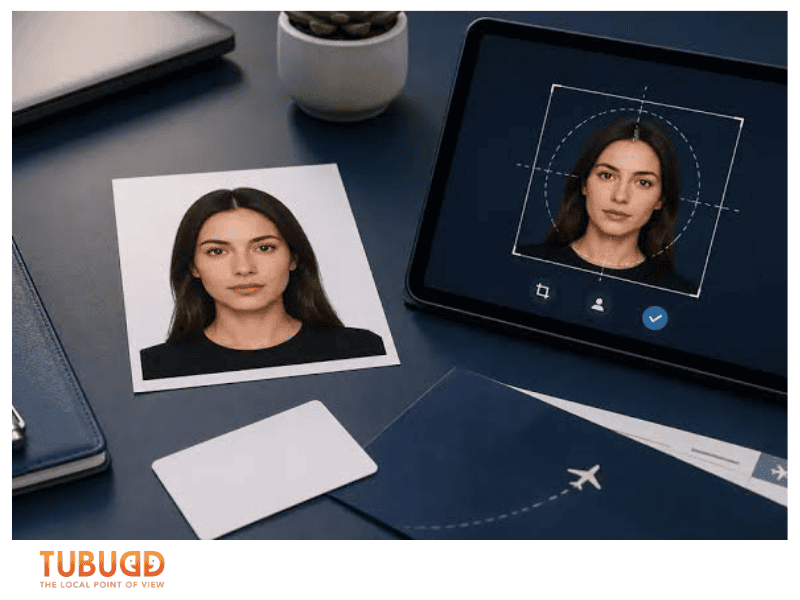
According to the official Vietnam e-visa instructions, applicants should upload a photograph in which they are looking straight ahead and not wearing glasses.
For the safest result, prepare a recent, clear photograph where your face can be easily recognized.
Your face should be clearly visible
Avoid photographs where your face is:
Blurred
Partially covered
Hidden by hair
Covered by accessories
Obscured by strong shadows
The purpose of the portrait is to identify the applicant, so the image should make your facial features easy to recognize.
vietnam-e-visa-photo-requirements (2).png
Look directly at the camera
The official instructions specifically state that the applicant should be looking straight ahead.
Avoid:
Side-profile photographs
Photos where your head is turned significantly
Looking away from the camera
Heavily tilted head positions
A straightforward front-facing portrait is the safest choice.
Do not wear glasses
The official application instructions explicitly specify that the portrait should be taken without glasses.
Therefore, remove:
Prescription glasses
Sunglasses
Fashion glasses
If you normally wear glasses, take the application photograph without them.
2. Vietnam E-Visa Photo Size
One of the most important Vietnam e-visa photo requirements 2026 is the file size.
The current official application instructions state:
Portrait photo: less than 50 KB
Passport data page image: less than 200 KB
This is a file-size requirement, rather than simply the physical dimensions of a printed photograph.
If your photograph is larger than the allowed file size, you may need to compress or resize the digital file before uploading it.
However, avoid compressing the image so heavily that your face becomes blurry or difficult to recognize.
3. What About the Passport Photo or Passport Image?
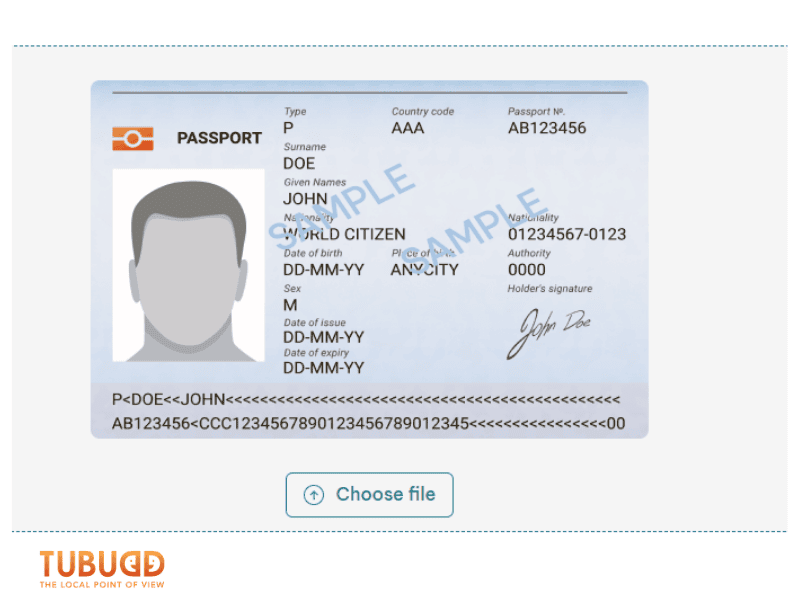
The second image required by the e-visa system is the passport data page image.
This is the page containing your personal and passport information.
The image should allow the immigration system to read relevant information clearly, including details such as:
Full name
Date of birth
Nationality
Passport number
Passport issue information
Passport expiry date
The official system currently limits this image to less than 200 KB.
Make sure the entire relevant page is visible. Do not crop out information around the edges.
4. Can You Use a Passport Photo Taken at a Photo Studio?
A professionally taken passport-style photograph can be used as a starting point, provided that it meets the requirements of the Vietnam e-visa application system.
Before uploading it, check that:
You are looking directly at the camera.
You are not wearing glasses.
Your face is clearly visible.
The image is not blurry.
The file size is below the current limit.
The image can be uploaded successfully to the application system.
A photograph being accepted by another country's visa or passport system does not automatically mean it meets Vietnam's e-visa upload requirements.
5. What Background Should a Vietnam E-Visa Photo Have?
The current official instructions available on the Vietnam Immigration Department's application page specifically emphasize the applicant's straight-facing position and absence of glasses, as well as the file-size requirement.
Therefore, travelers should avoid relying on unofficial websites that add requirements without clearly distinguishing them from official rules.
For practical purposes, a simple, uncluttered background makes your face easier to identify and reduces the risk of shadows or objects interfering with the photograph.
6. Do You Need a New Photo for Every Application?
If you are submitting a new e-visa application, it is sensible to use a current photograph that accurately represents your appearance.
The photograph should clearly correspond to the person applying for the visa.
If your appearance has changed significantly since an older photograph was taken, using a more recent portrait can make identification more straightforward.
Common Vietnam E-Visa Photo Mistakes
Even when applicants have the correct documents, image problems can cause unnecessary difficulties.
Using a photo with glasses
This is one of the easiest mistakes to avoid because the official instructions specifically require the applicant to look straight ahead without glasses.
Uploading a file that is too large
A good-quality photograph can easily exceed 50 KB.
Check the file size before uploading it and compress it if necessary.
Compressing the image too much
The opposite problem can also occur.
If you reduce the file size excessively, the photograph may become pixelated or blurry. Aim to meet the size requirement while keeping the face clearly identifiable.
Using a side-profile photograph
The official instructions call for a straight-facing photograph.
Avoid using casual photographs taken from an angle.
Uploading the wrong image
Remember that the application has two separate image fields:
Portrait photograph → your face
Passport data page → your passport information
Do not accidentally upload your passport image into the portrait field.
Using an unclear passport image
Even if the file is under 200 KB, the passport data still needs to be readable.
Avoid:
Reflections
Strong shadows
Cropped pages
Blurred text
Fingers covering information
Vietnam E-Visa Photo Checklist Before Submission
Before clicking Review application form, go through this quick checklist:
Portrait photo
Recent and clear
Face clearly visible
Looking directly at the camera
No glasses
No major obstruction over the face
File size below 50 KB
Passport image
Correct passport
Full data page visible
Personal information readable
No excessive glare
No important information cropped
File size below 200 KB
The official application system specifically instructs applicants to upload both the passport data page and portrait photograph before continuing with the application.
Can You Take a Vietnam E-Visa Photo With Your Phone?
Yes, a smartphone can be used to take the original photograph, provided that the final image meets the application's requirements.
Choose a well-lit location and ask someone to take the photograph rather than using a heavily edited selfie.
After taking the picture, check the final file before uploading it. The most important considerations are that your face is clearly visible, you are looking straight ahead without glasses, and the file is within the official size limit.
Avoid beauty filters, heavy editing, or effects that substantially alter your appearance.
What Happens If Your Vietnam E-Visa Photo Is Rejected?
The official Vietnam Immigration Department warns that applications containing missing, incorrect, or unidentifiable information may not be accepted.
Therefore, do not treat the photo upload as a minor technical step.
Before submitting your application, make sure both images are:
The correct files
Clear enough to identify and read
Uploaded to the correct fields
Within the required file-size limits
If the application system indicates a problem with your upload, follow the instructions displayed on the official portal rather than relying on an unofficial workaround.
FAQs About Vietnam E-Visa Photo Requirements 2026
FAQs About Vietnam E-Visa Photo Requirements 2026
What size should a Vietnam e-visa photo be?
The current official system requires the portrait photograph to be less than 50 KB. The passport data page image must be less than 200 KB.
Can I wear glasses in my Vietnam e-visa photo?
No. The official application instructions specify that the applicant should look straight ahead without glasses.
Do I need both a portrait photo and passport photo?
Yes. The online application requires both a portrait photograph and an image of the passport data page.
Can I use my old passport photo?
It is better to use a recent photograph that accurately represents your current appearance and meets the current application requirements.
Can I take the photo with my phone?
Yes. You can use a phone to take the original photograph, as long as the final image satisfies the official requirements and can be uploaded successfully.
What happens if my Vietnam e-visa photo does not meet the requirements?
An application with missing, incorrect, or unidentifiable information may not be accepted. Check your images carefully before submitting the application.
Final Thoughts
Following the Vietnam e-visa photo requirements 2026 is relatively simple when you know what to prepare.
The two essential uploads are your portrait photograph and passport data page image. For the portrait, look directly at the camera and do not wear glasses; also make sure the file is below the current 50 KB limit. Your passport image should be clear, complete, and below 200 KB.